Pressbook
All postsNote
Create Memory Capsule on a finished album, collage, or carousel. Guests wait for the date. You can still open, edit, and send updates.
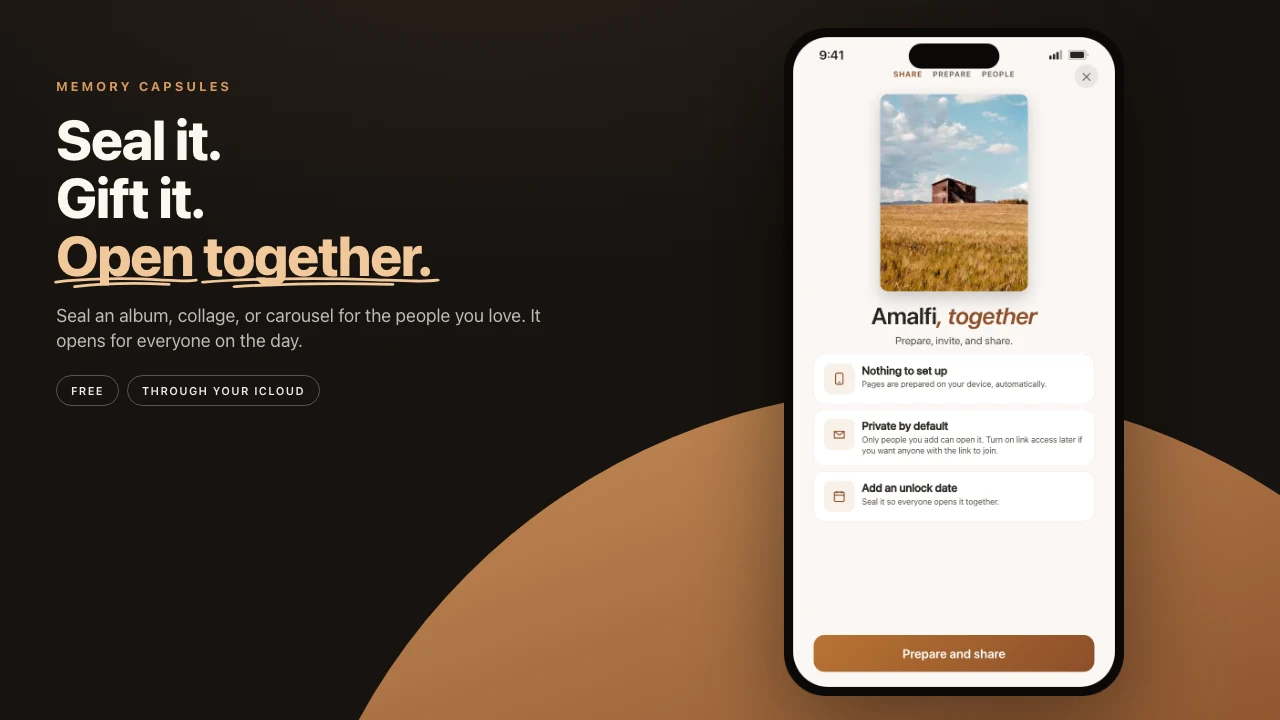
You finish the wedding book the night the files come back. You do not want it opened in the group chat at 11 p.m. You want a morning, months from now, when the wait is part of the gift.
Most apps have no object for that. You keep a folder and trust yourself. Pressbook has a Memory Capsule. Guests wait for the date. You can still open the book, recut it, and send updates.
Long-press a finished album, collage, or carousel. Choose Create Memory Capsule. Set an unlock date. Confirm. When the day comes, one local notification fires. They open the current book.


Seal behind a date
The sheet asks for one field: Unlock date. A birthday morning. An anniversary evening. New Year at midnight.
The earliest day is tomorrow. There is no “in two hours.” A capsule is at least an overnight wait. There is no useful upper year limit.
Then a confirm. The footer says guests wait until this date. You can still open and edit it, and send updates anytime.
You can reseal later. You can share it privately so the wait is shared. Public links can wait on a date too when the list is wide.
What you see while it waits
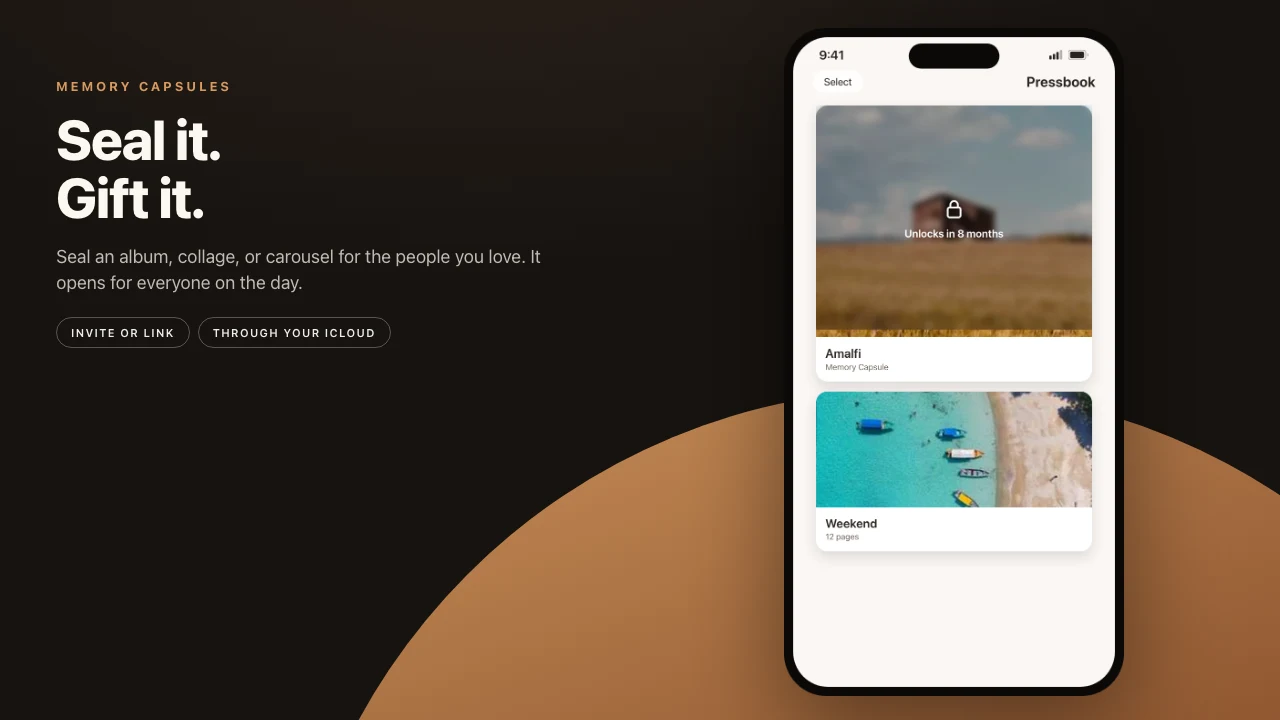
The piece stays in the gallery. It does not vanish.
The card wears a frost overlay: a lock, the words Memory Capsule, and a countdown in the language of waiting. “Unlocks in 8 months.” “3 weeks from now.” “Unlocks tomorrow.”
Guests cannot peek. There is no guest “unseal now.” As owner, the card stays openable. Accessibility copy is honest: sealed for guests. Double tap to edit.
The day it opens
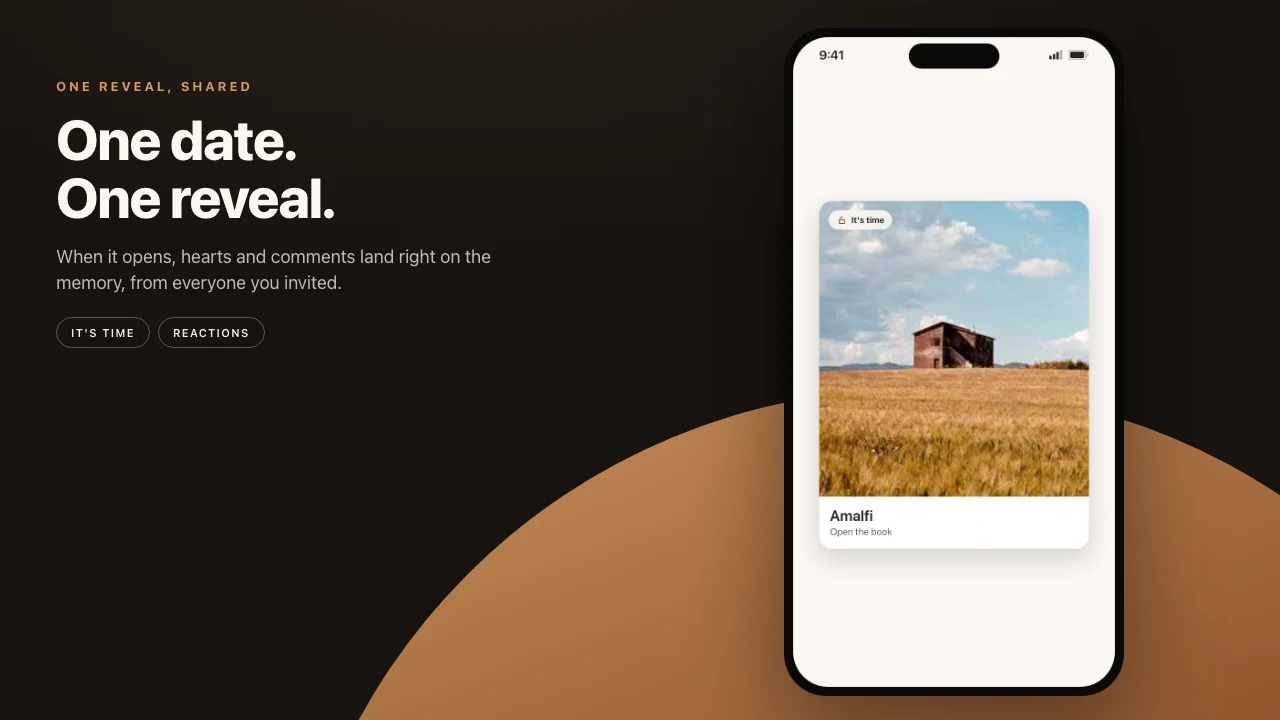
One local notification. If the phone is off, they see the unlocked book the next time they open Pressbook.
The first open can play a short reveal. A lock springs. The screen reads “It’s time.” Then the pages. The reveal plays once. Open it again later and it opens quietly. Reseal to a new date and the reveal plays again.
What they open is the latest cut you published. Recut fullness. Restore a frame. Tap Send update.
When a date helps
- A wedding album sealed to the first anniversary.
- A baby book or collage for a first birthday morning.
- A memorial the family opens together, when they are ready.
- A graduation or milestone carousel for the day itself.
A capsule without a guest list is a reminder to yourself. A capsule with a gift invite is the object they wait for. Named people. A shared date.
Do not seal a draft you are still ashamed of. The date will arrive.
Privacy
Unlock scheduling and the local notify stay on the device. Optional live share uses Apple iCloud (CKShare) between people you add. Create and edit offline. Sharing needs iCloud. Analytics stay opt-in and off by default. Stop sharing revokes access. The project stays on your phone.
Capsules are not Pro-gated.
Steps
- Finish the album, collage, or carousel. Prefer a layout you would actually hand someone.
- Long-press the gallery card. Choose Create Memory Capsule.
- Set the unlock date. Confirm Seal this project.
- Optional: Share memory, prepare the package, add people. They inherit the wait.
- Recut and send an update while it waits. On the day, they open the current book.
Make the album on iPhone or iPad. Seal it when you want the wait to start.