
 Pressbook
All postsNote
Apple Vision scores faces, light, and scenes on the Neural Engine. Pressbook shows the drawers. You keep the cut. Nothing is uploaded to do it.
You came back from the coast with 120 photos. The golden hour family frame. The kid in the surf. One clean wave. Then thirty near-identical bursts, the blurry ones from walking too fast, a map screenshot, a handful of duds.
You want a printed album that reads like the weekend, not a dump of every frame.
Most apps send the set to a server first. The originals get downsized. A model you cannot inspect scores the compressed copies. Sometimes those copies feed a training run.
Pressbook never starts that transfer. Scoring, burst collapse, chapter breaks, and the weak-shot flags all run on the iPhone with Apple's Vision framework. Same family of tools as Photos. Applied to a book you can print. No sign-up. No network after the photos are already on the device.

Cloud albums score a smaller file
A cloud curator works from a smaller file than the one in Photos. Fine light, a half-blink, the timing inside a burst: gone before the model votes. The chapters feel generic because the model never saw the day.
Uploaded originals often sit in a training clause. They sit on a disk that can be breached, subpoenaed, or rewritten by a policy change.
Pressbook scores the PhotoKit originals. Timestamps stay. Burst sequences stay. The chapters can match how the day actually moved.
What Vision measures on every photo
Tap Create Album. PhotoAnalyzer runs nine Vision requests on the Neural Engine. The order is deliberate.
First, VNDetectFaceRectanglesRequest. One set of face observations, so the later face tools line up by index. Quality, landmarks, and the faces themselves do not drift.
Then a batch on the same image handler:
VNClassifyImageRequestlabels the scene. Beach, gathering, meal, indoor. Later grouping uses this for chapters.VNDetectFaceCaptureQualityRequestscores sharpness, exposure, and framing for every face.VNDetectFaceLandmarksRequestreads closed eyes, yaw, expression, and head turn from the same faces.VNGenerateAttentionBasedSaliencyImageRequestmaps where a viewer looks first. Heroes and later crops use that map.VNCalculateImageAestheticsScoresRequest, iOS 18 and later, returns composition, lighting, color, overall appeal, and theisUtilityflag. Screenshots, receipts, documents, and whiteboards get tagged.
Then three more, each on its own pass:
VNGenerateImageFeaturePrintRequestmakes a visual fingerprint of the frame, for stacks of near-identical shots. Run on each face, the same request makes a face print that groups photos of the same person, so people appear evenly across the book. The groups have no names.VNRecognizeAnimalsRequestnotices cats and dogs, because pets count.VNDetectHumanRectanglesRequestfinds people's upper bodies, so crops keep them in frame.
Those raw signals plus a few derived numbers (average face quality, a qualityScore that combines aesthetics and faces) feed the rest of the system. Every later drawer traces back to this pass.
How scores become an album
PhotoAnalysisCoordinator and DuplicateDetector turn the numbers into a cut.
Near-duplicates collapse. Shots of the same moment stack up when their 64-bit dHash, a fast perceptual hash, or their visual fingerprints agree, and only when the same people are in them. Each stack keeps the sharper frame, or the one with eyes open. The rest are set aside. You can put any of them back.
Heroes rise. Strong faces and high aesthetic scores become heroes. They spread across chapters so the book is not all headshots or all landscapes.
Chapters follow the day. Time clustering plus the scene labels from VNClassifyImageRequest make the breaks. Breakfast on the patio. Walk to the lighthouse. Golden hour on the beach. Not a flat wall of thumbnails.
Weak and junk get flagged. Below the low-quality threshold, or tagged utility, they land in Softer shots or Less distinct. You see why.
The AI never deletes a photo. You get the kept set and the drawers. Tap a drawer. Tap a frame to put it back. Tap a kept one to leave it out.
How that pass turns time and place into chapters is how Pressbook reads a camera roll. The sequence from roll to print PDF is how to make a photo book on iPhone.
The review that shows the cut
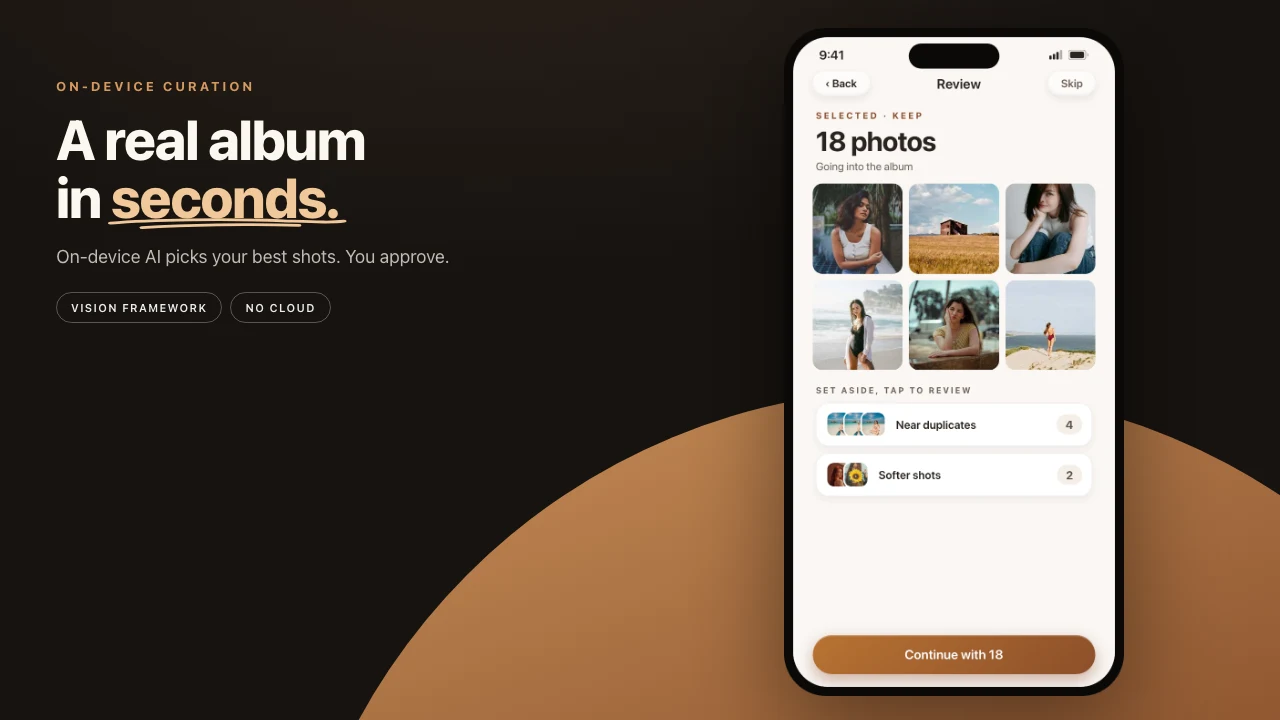
No "your book is ready" card. A summary: 50 kept, 16 set aside. Four drawers:
- Selected: the frames the curator kept
- Near duplicates: the rest of each burst
- Softer shots: lower on face or aesthetic signals
- Less distinct: did not rise on the combined scores
Open a drawer. See the frames, full size if you need to check focus or eyes. Tap anything back into Selected. Tap a kept frame to leave it out.
The last step before the album, Shape the album, lists what the album itself will set aside and why: nearly identical shots where it kept the sharper one, closed eyes where it kept the one with eyes open, blurry or dark frames. In the album, See the rest opens them in Set aside, grouped the same way. Select several and add them back at once.
Full-resolution stays on the phone
Pressbook works from the files that sit in Photos. A couple hundred frames usually take a minute or two. The Neural Engine is built for this. Live counters climb: faces, heroes, quality. No upload heat. No round trip.
The broader product split (account, print, share) lives in on-device versus cloud photo book apps.
File protection on the project
The pixels stay in the PhotoKit originals and the project file. They are not uploaded for scoring, so they do not enter a training run or sit on a company disk.
Project files use iOS FileProtectionType.complete from the start. Lock the phone and the data is unreadable without the passcode. A PDF or an invite is the first copy that can leave.
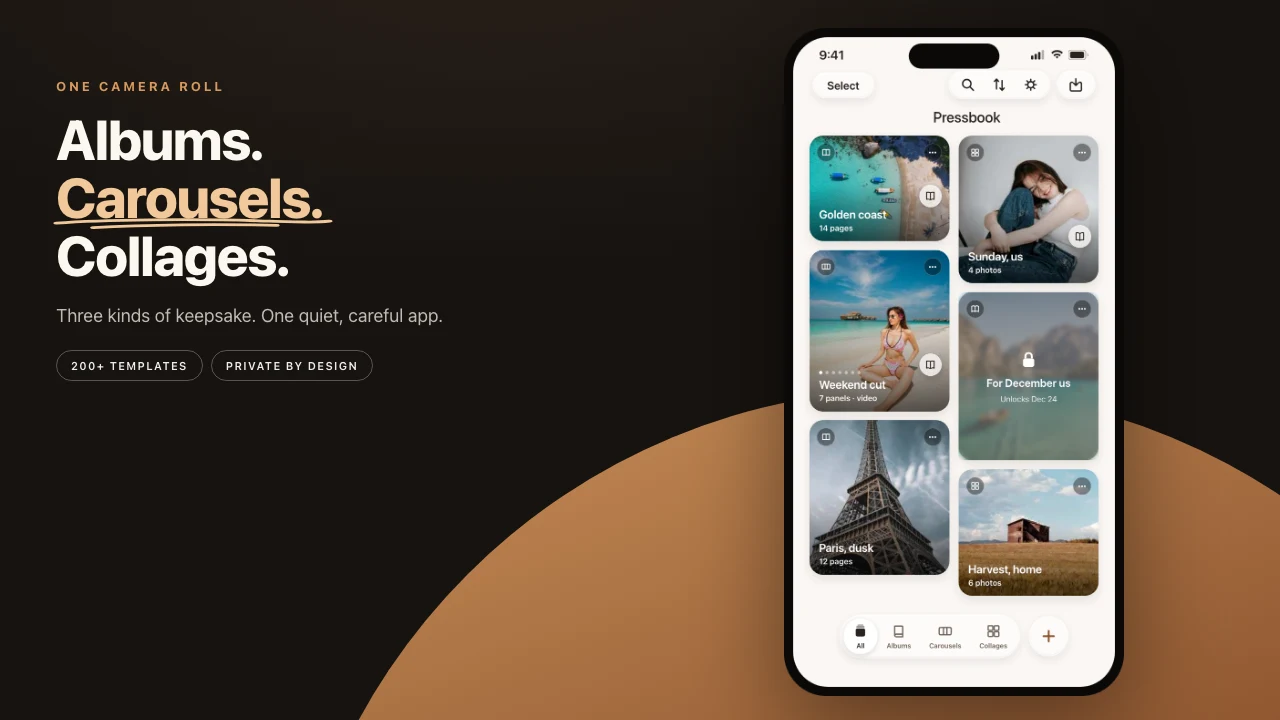
520 collage and carousel layouts
Explore shows 520 collage and carousel layouts in sample photos. 262 of them came in 1.5.0. Pick one, choose your photos, and Pressbook builds it. When an album is laid out, Pressbook picks only layouts made for album pages that fit the page size. Chapter breaks, a hero for each spread, pacing, variety. With real material the pages feel like a short photo essay.
Nothing is locked:
- Move How full or try Another take. Photos you set aside, add back, swap in, or make big stay that way.
- Open Set aside from the album and add any photo back.
- Add or drop shots later. Added photos join the album where their dates fall.
- Re-export the same project at Everyday (300 DPI) or Archive quality when you print.
The Vision scores live in the project file on the device.
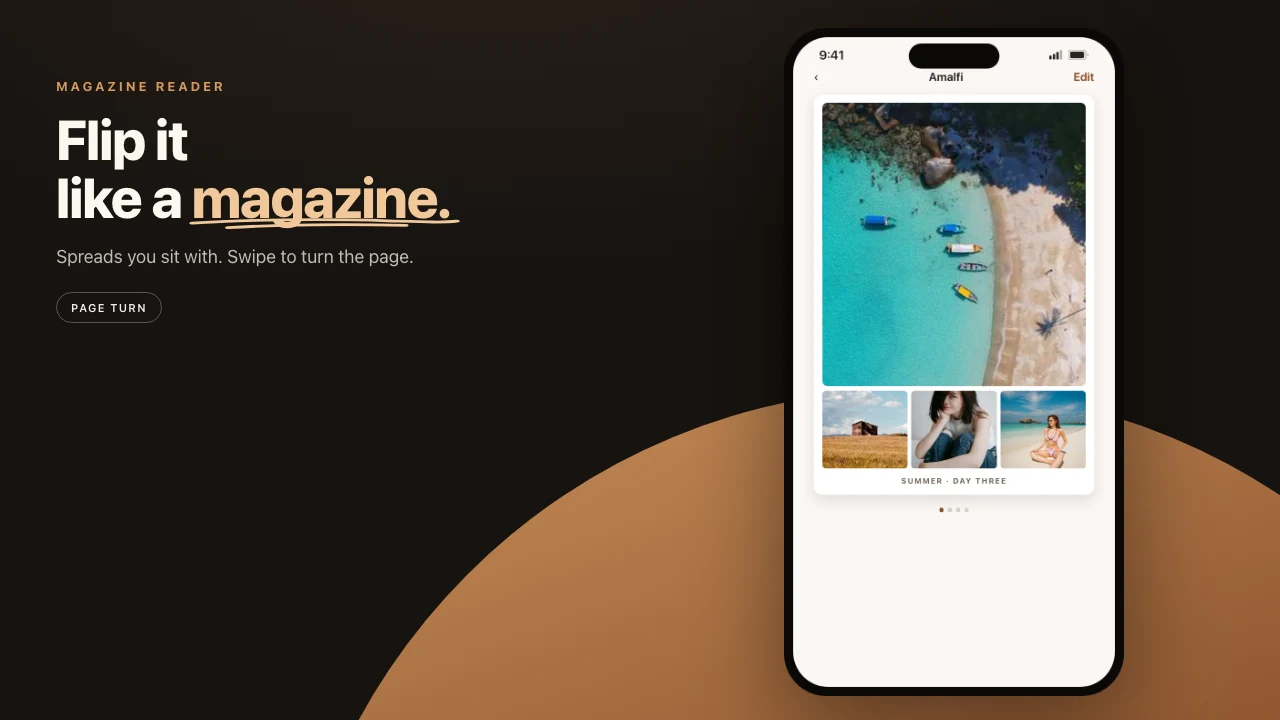
Try it on a trip roll
Take 80 to 120 real photos from the last trip. Let the pass run. A minute or two on a recent iPhone. Spend two minutes in review. Put back anything that matters. Then build the album and open it.
Make an album. Free, no account, nothing uploaded.
