Pressbook
All postsHow-to
Apple stopped printing photo books in 2018. Photos on Mac still starts one under File > Create > Book. On iPhone and iPad, an app lays out the pages.

Apple stopped printing photo books in 2018. That July, it told Photos users that its print service would take final orders for books, cards, calendars and prints by September 30, 2018.
The Book command did not go away. Photos on Mac still has File > Create > Book, which hands the book to another company's app. Photos on iPhone and iPad has no book projects.
So a photo book from your Apple library now has two parts: an app that lays out the pages, and a printer. This guide covers the Photos route on Mac, the other options, and the steps in Pressbook, which designs the book on your device and, on Pro, exports a print PDF for the lab you choose.
Make one in Photos on Mac
Photos for macOS makes books, cards, calendars and framed prints through project extensions from the Mac App Store. Apple's print products page names Motif, Mimeo and WhiteWall among its partners.
- Get a print service's project extension from the Mac App Store.
- In Photos, select photos, an album, a memory or an existing project.
- Choose File > Create > Book, then choose the app.
- Design and order the book in that app. The service prints and ships it, and charges shipping at checkout.
Apple will not print a book you designed for its old service. Some third-party apps can convert one: select the project in Photos, and if it can be converted, a Convert button appears in the toolbar. Apple's guide covers the menus.
On iPhone and iPad there is no Create > Book in Photos. You need an app that reads the library.
Three ways to make one now
- A print service in Photos on Mac. The steps above. The service prints the book and ships it to you.
- A print service's own app on iPhone or iPad. Mixbook, Chatbooks, Shutterfly and others design the book from the photos you upload to them, then print and ship it. Pressbook vs Mixbook, Chatbooks and photo book apps compares them.
- Pressbook on iPhone, iPad or Mac. It lays out the book on the device and, on Pro, writes a print PDF. You choose the lab and send the file. On a Mac it is a Photos project app too, so File > Create > Book works with it.
The first two put a bound book at your door with one order. The third keeps the design on your device and lets you pick the printer. Pressbook does not print.
Make the book in Pressbook on iPhone or iPad
Let Pressbook see the library
Pressbook reads the same library as Photos. For a whole trip, give Pressbook full access to your photos. You can change that later in the Settings app, under Pressbook. With limited access, Pressbook only sees the photos you granted.
If your library lives in iCloud Photos, some originals may not be on the phone. When you tap one in Pressbook, wait for the full-resolution file to arrive. Working offline? Open the keepers in Photos first, or turn on Download and Keep Originals in Settings, [your name], iCloud, Photos.
Pick the size you will print
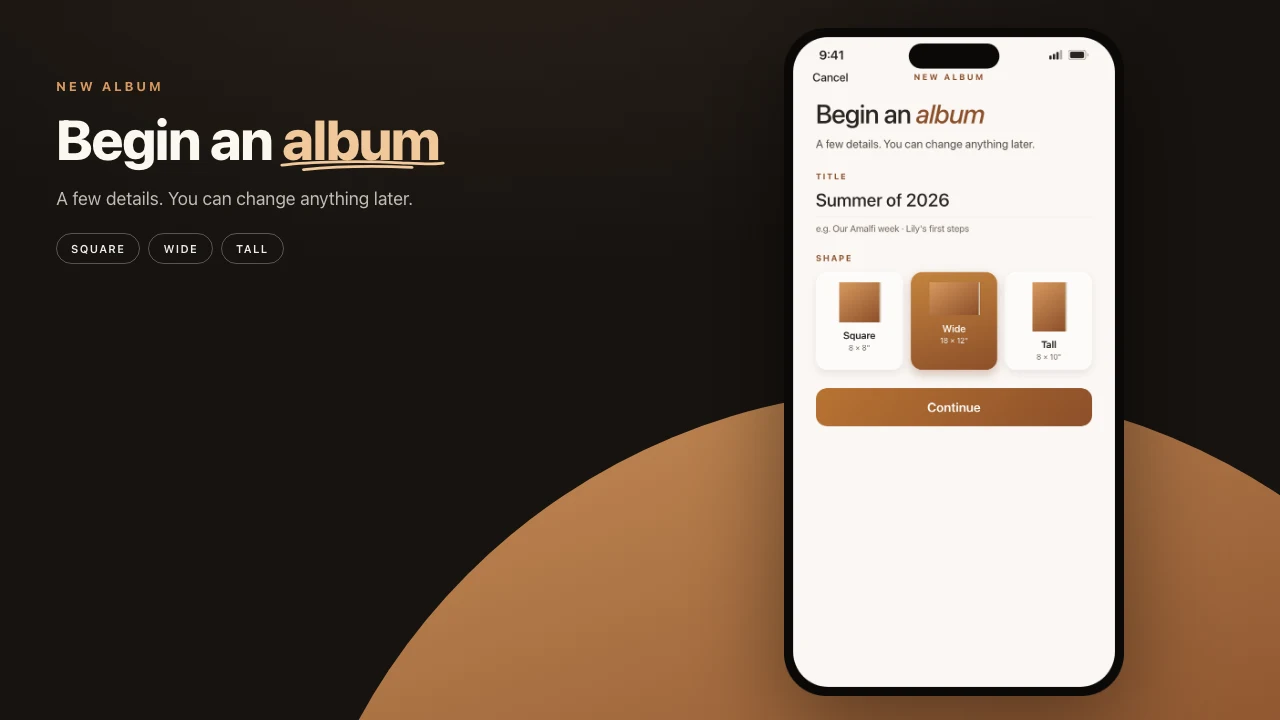
Tap the plus and choose New Album. Pick Square, Wide or Tall, in a size your lab prints:
- Square: 8×8, 10×10 or 12×12 inches
- Wide: 12×8, 14×11 or 18×12 inches
- Tall: 8×10, 11×14 or 12×18 inches
Pressbook builds every page to those inches, so check the lab's sizes first. iPad and Mac add more trims on a size slider.
Select the whole set
Select the trip, the month or the year, more than you think you need. Pressbook scores every photo on the device with Apple's Vision framework and proposes the keepers. Of nearly identical shots, the sharper one stays, or the one with eyes open. Before it builds the book, you see what it set aside, and why. Add anything back.
Free albums hold 20 photos. Pro holds 1,000.
Set how full the pages feel
One slider sets how packed each page feels, with a live page count as you move it. It changes the pages, never which photos stay in. If the first take is not right, try Another take.
Read it, then fix what you want
The book opens on its cover: a photo mounted on paper, with the title, dates and places beneath it. Flip through it like a book. Swap a photo, change a layout or add type where a page needs it. Everything stays editable.
Export the print PDF
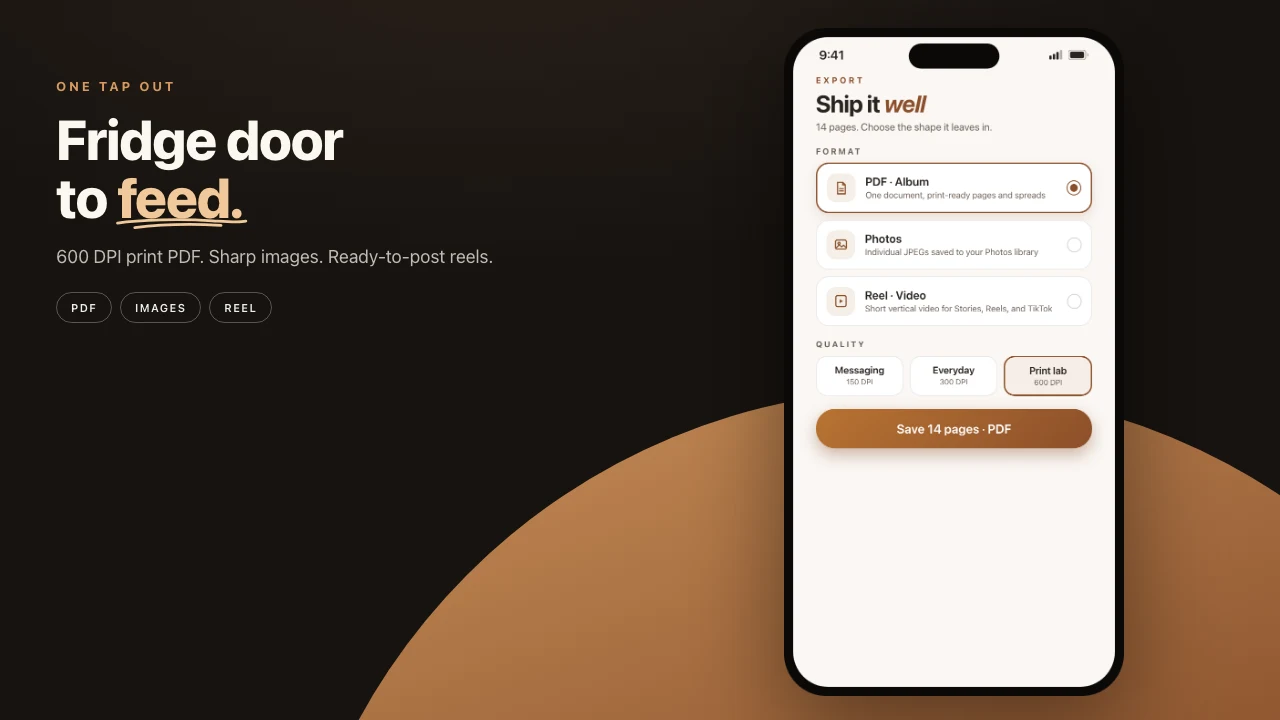
Tap Share, then PDF. Choose album spreads or single pages, whichever the lab wants. Pick 300 DPI, which most labs accept. Pick 600 DPI for labs that ask for higher-resolution files. At 600 DPI, pages render up to 6000 px on the long edge. Save the PDF to Files or AirDrop it to a Mac. How to export a print-ready photo book PDF covers each setting, and 300 DPI vs 600 DPI photo books helps you choose.
Print export is part of Pro. Free export is screen resolution with a small watermark, which is enough to check the story before you pay for anything.
On a Mac, start in Photos
Pressbook is on the Mac App Store under the same listing as iPhone and iPad, for macOS 15 or later. In Photos, select the photos or an album, choose File > Create > Book, and pick Pressbook. Then open Pressbook. It does not open by itself. You choose the book size in Pressbook after the handoff, and Photos View opens the finished book. From there it works as on iPhone. Pressbook on Mac.
Send it to a lab
Pressbook does not print. The PDF is a standard file for any lab that takes print-ready PDFs. Before you order:
- Check that the lab prints your book's size.
- Read its upload specs. A few want a small bleed or PDF/X-1a. The print PDF guide lists what to check.
- Order a sample, or the first few pages, before the whole book. Paper and color are easier to judge in your hands.
What it costs
Making the book is free up to 20 photos, exported at screen resolution with a small watermark. Pro adds print PDF export and albums up to 1,000 photos: $4.99 a month, $29.99 a year or $79.99 once. The lab charges for printing and shipping. See pricing.
Steps in Pressbook
- Give Pressbook full access to your photos. Download iCloud originals first if you will work offline.
- Start a New Album in a size your lab prints: Square, Wide or Tall.
- Select the whole trip or year, then check what Pressbook set aside.
- Set how full the pages feel, read the book, and fix any page.
- Export a PDF at 300 or 600 DPI on Pro.
- Order a sample from your lab, then the book.
On a Mac, select the photos in Photos, choose File > Create > Book, pick Pressbook, then open Pressbook. Choose the size there, check what it set aside, and continue from step 4.
Frequently asked questions
Does Apple still make photo books?
No. Apple's own print service stopped taking orders after September 30, 2018. Photos on Mac still has File > Create > Book, but a third-party app from the Mac App Store makes the book. Apple names Motif and Mimeo among the partners that print and ship it.
Can I make a photo book in Photos on iPhone or iPad?
Not in Photos itself. Book projects belong to Photos on Mac. On iPhone and iPad, use an app that reads your Photos library, such as Pressbook or a print service's app.
Can I still print a book I made in Apple Photos before 2018?
Not through Apple. Some third-party apps for Photos on Mac can convert those projects. Select the project in Photos, and if it can be converted, a Convert button appears in the toolbar.
Can I make a photo book from iCloud Photos?
Yes. Pressbook reads the Photos library on the device, iCloud Photos included. A photo that is not downloaded yet arrives at full resolution when you tap it, so download the keepers first if you will work offline.
Does Pressbook print the book?
No. Pressbook designs the book and exports a print PDF, at 300 or 600 DPI on Pro. You send the PDF to a print lab you choose, and the lab prints and ships it.
Start on iPhone, iPad or Mac. Make a photo book in Pressbook. Free up to 20 photos, no account. Nothing is uploaded until you send the PDF.