Pressbook
All postsHow-to
Tap plus, then New Collage. Pick Square, Story or Post, a photo count and a layout, then Shuffle. The layouts ship in the app, and nothing is uploaded.
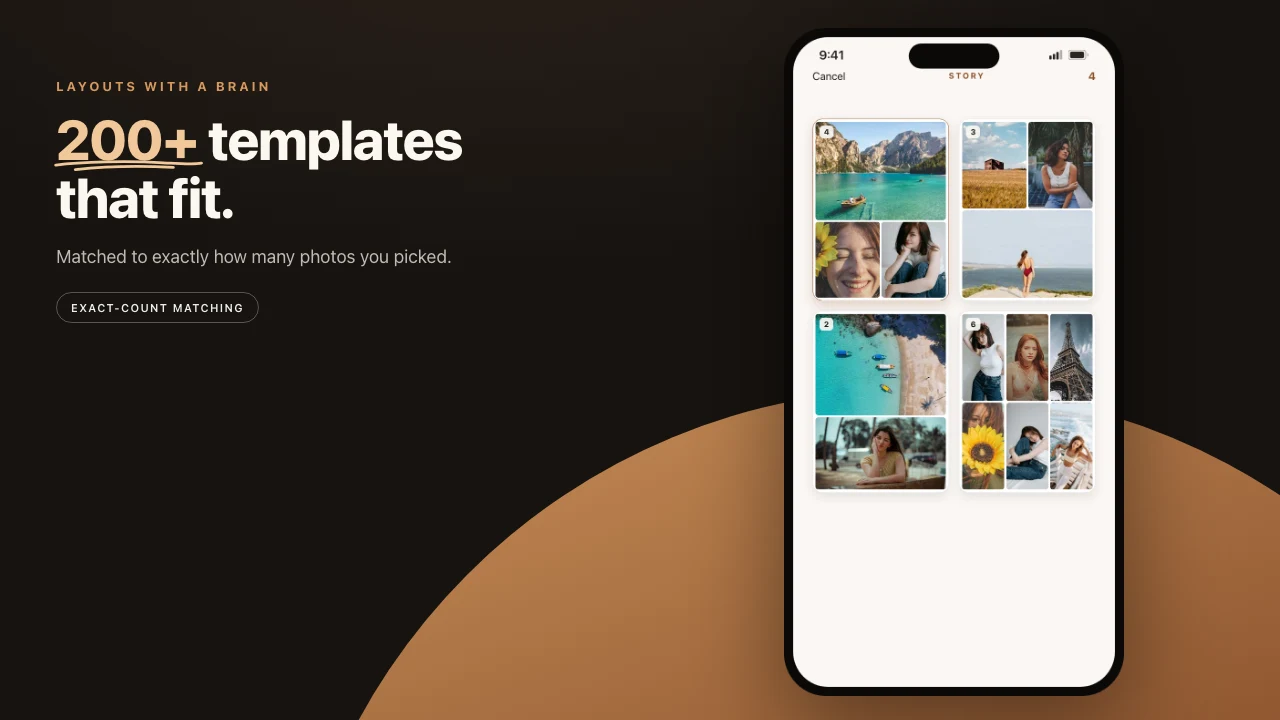
From the + button, tap New Collage, pick a shape and a layout, and choose your photos. Pressbook places them, and you have a finished page in a few taps. No template hunting. No dragging photos into slots one at a time. No account.
A quick collage is the same object as any collage in Pressbook. This is the shortest path to a filled page.

Three shapes, sized for where it is going
The first choice is the shape. Each one is a real aspect ratio, not a generic frame.
- Square. 1:1. The classic feed post.
- Story. 9:16. Tall, for Stories and Reel covers.
- Post. 4:5. The taller feed post.
Pick the shape first. The layouts preview in that shape, so the grid you choose from looks the way your collage will.
Pick a count, then a layout
Next, pick how many photos go in: 1, 2, 3, 4 or 5, or 6+ for the bigger layouts, which take up to 13. Every count has dozens of layouts, and each one is built for exactly that many photos. Or tap Blank and place photos, text and stickers anywhere on the page.
Then tap Choose photos or videos and pick one for each frame. Pressbook scores the photos on the device and gives the biggest frames the strongest ones. Every frame gets filled, so there is no empty cell to tidy up. None of this touches the network. The layouts ship inside the app.
The photo count is the lever that changes the character.
- Two photos: a clean split.
- Four or five: a magazine contact sheet.
- Six and up: a mosaic, edge to edge.
Change the count and the layouts change with it. A layout does not scale one grid up and down.
Shuffle until one clicks
The first layout is rarely the only good one. Tap Shuffle, in the top corner, and Pressbook moves the same photos into the next layout for that count and shape. Same photos. New composition. Keep tapping until one clicks. Nothing about your photo selection changes. Only the grid they sit in.
When a collage is right, tap Save to Photos or Share. The size depends on the quality you pick.
| Shape | Screen (free) | Everyday (Pro) | Archive (Pro) |
|---|---|---|---|
| Square, 1:1 | 2160 × 2160 px | 4096 × 4096 px | 6000 × 6000 px |
| Story, 9:16 | 1215 × 2160 px | 2304 × 4096 px | 3375 × 6000 px |
| Post, 4:5 | 1728 × 2160 px | 3277 × 4096 px | 4800 × 6000 px |
Free saves carry a small watermark. Pro removes it. A collage with a video in it saves as an MP4, up to 2160 px at every quality.
A clip can sit in a slot the same way a still does: video in collages and carousels. A Reel is different. Share, then Reel, turns the whole finished page into motion.
When the object is wrong
A collage is one image. If you want a longer story across spreads, start an album instead. If the goal is a set of slides someone swipes on Instagram, that is a carousel.
No step in New Collage sends your photos off the device. The layouts are bundled. The rendering is local. The export writes a file to the phone.
Steps
- Open Pressbook, tap +, and choose New Collage. On a Mac, choose File > New Collage.
- Pick Square, Story or Post.
- Pick how many photos, 1 to 5 or 6+, then a layout. Or tap Blank.
- Tap Choose photos or videos and pick one for each frame.
- Tap Shuffle until the grid reads as a page, not a leftover template.
- Save to Photos, or Share. Add type or a sticker only if the page is still quiet.
Start on iPhone, iPad or Mac. Make a collage in Pressbook. Free, no account, nothing uploaded.