Pressbook
All postsHow-to
Finish a collage or carousel on the phone, export a Reel, drop it into Stories. No design-server upload. Every layout moves in its own way, and an album turns like a book.
Instagram Stories want a vertical clip. Your camera roll has stills, and maybe a few short videos. The usual path is upload into a cloud editor, template, download, re-upload to Stories.
Pressbook’s path is shorter. Finish a collage or carousel on the phone. Export a Reel. Drop that file into Stories. Photos are not uploaded to a Pressbook server to design the layout.
This is not Instagram Reels running inside Pressbook. It is a Stories-ready video file you own, rendered on-device.
Pace, frame, and the Reel sheet: make a photo Reel from a collage or carousel.
Pick the object first
A story-size collage (9:16) is enough when one composed frame is the post. A carousel is the object when the story is a sequence of panels.
Albums still export a print-ready PDF and a private live share. An album Reel turns like a book.
Design on-device: layout picker, stickers, text, optional video in slots. Then Share → Reel on that collage or carousel. Tap Share Reel, or Save to keep it in Photos, then add the file to Instagram Stories. Reels and TikTok will take the same file.
Path A: story collage, Reel in motion
Use when one page is the whole post. Weekend grid. Birthday layout. A single story-sized composition.
Start a collage. Choose Story size for full-screen Stories. Drop photos, and a short clip if you want motion in a frame. Lift a subject as a sticker if that is the joke of the page.
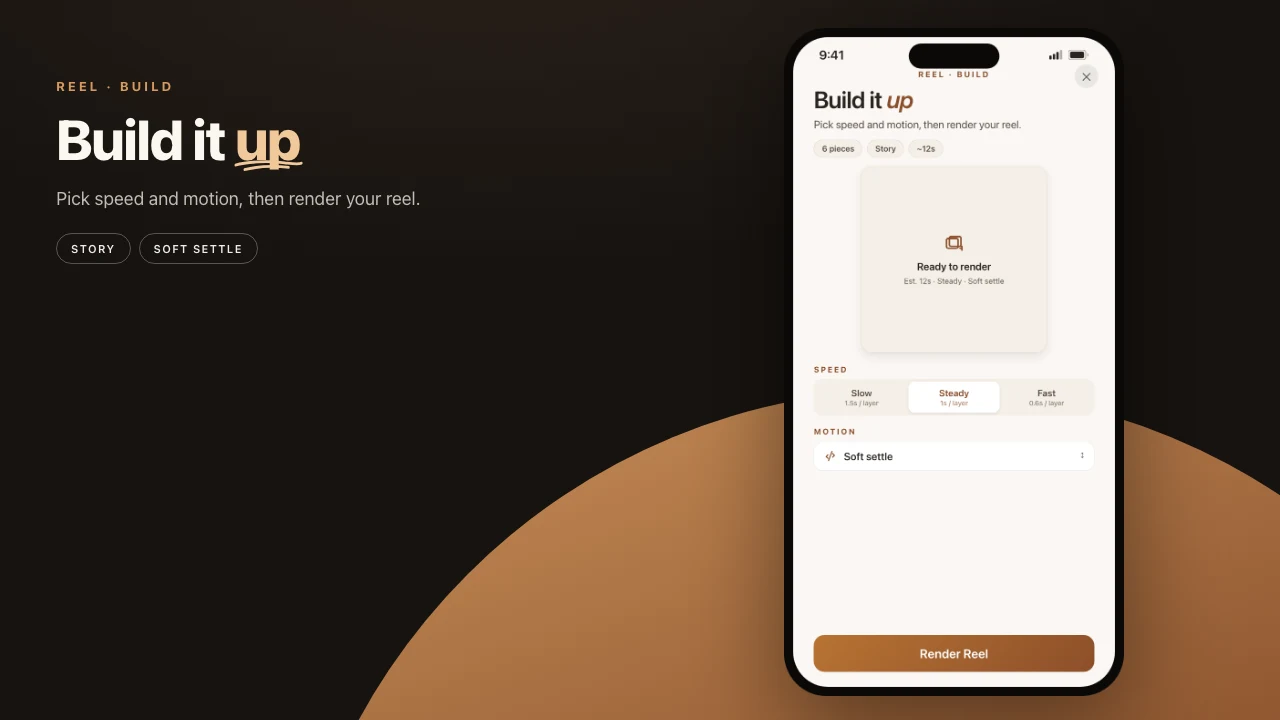
Open Share → Reel. The reel plays as the sheet opens: each picture arrives in its own way, then the finished page holds. A story collage makes a 9:16 reel. Pick a Pace: Calm, Beat, or Snap.
Tap Share Reel, or Save to keep it in Photos. In Instagram, create a Story, pick that clip, and add a song there. The reel itself is silent and cut on the beat.
You can also export a still, or an MP4 with in-slot video sound, if you do not want the motion. Same Share panel: Send versus Reel.
Path B: carousel, slide by slide
Use when order matters. Recipe steps. A trip in sequence. Before and after. Punchline on the last panel.
Start a carousel: two to ten panels, square or portrait, one continuous canvas. Carousel steps. Design so the swipe reads. The Reel inherits that order.
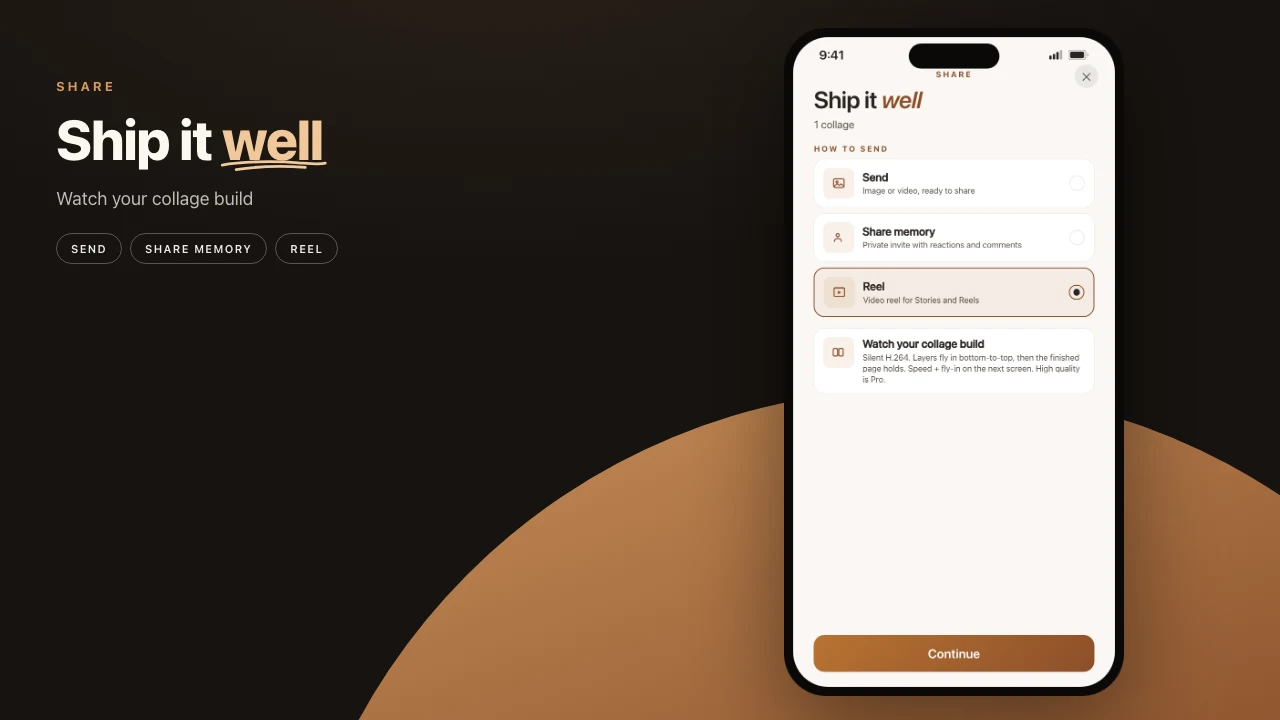
Open Share. The file options match collage: Send and Reel. Choose Reel to open the Reel sheet.
On the Reel sheet the reel glides from slide to slide, then shows the whole carousel. Pick a Pace (Calm, Beat, or Snap) and a Frame: Full screen for Stories, or the slides’ own shape. Beat and Full screen are the defaults.
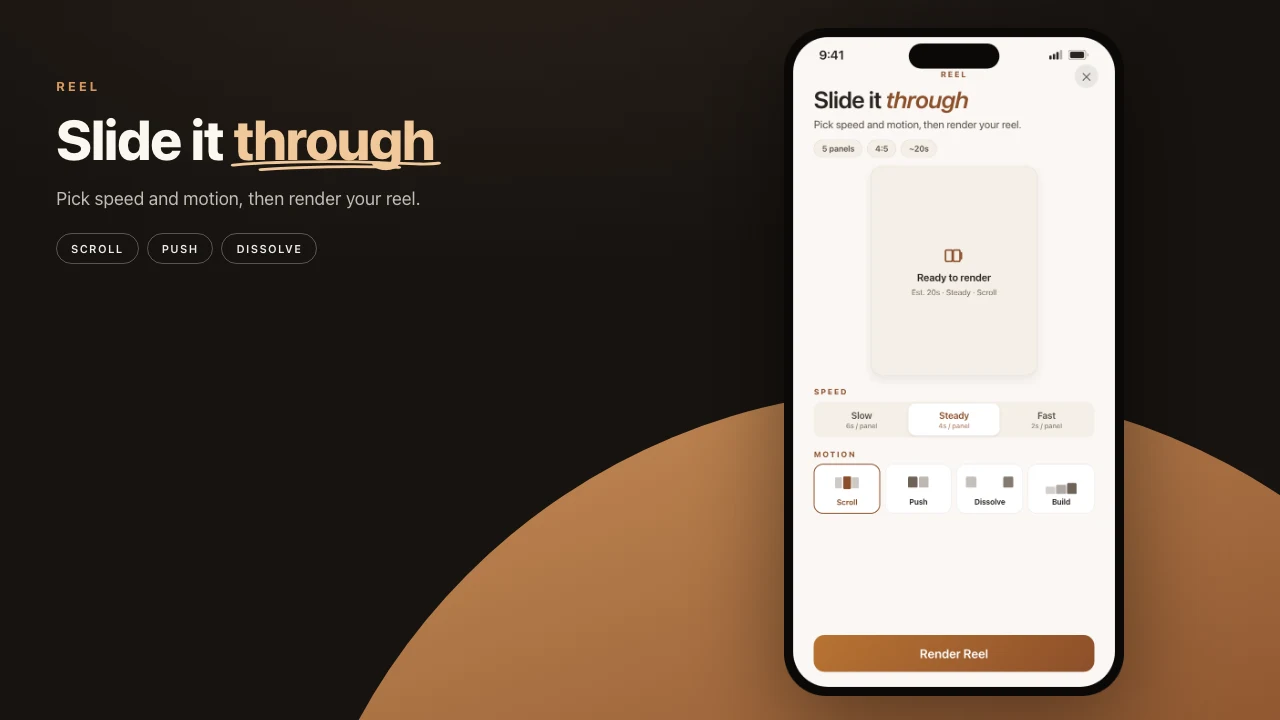
Tap Share Reel and the file goes to the system share sheet. Post that video to Stories, or keep still panel exports for a multi-image feed carousel. Feed carousels and Story videos are different Instagram surfaces. The same Pressbook project can produce both.
One Reel sheet serves both. The motion comes from the layout, not a menu: a collage arrives picture by picture, a carousel goes slide by slide.
What stays on the device
Curation, layout, filters, stickers, and Reel encode run on your device. Nothing is sent to Pressbook to render in the cloud. Optional animated sticker search is off by default and only sends the search word if you turn it on.
Live family share is a separate path: private invite versus public link. That is the gap versus many social template apps. The Stories file is an export of work that never needed their server to exist.
When not to use this path
- You need a printed book. Export the album as a print-ready PDF (print guide), not a Reel.
- You only want still feed slides. Use carousel image export, not Reel.
- You need multi-track CapCut-style editing. Pressbook is a finishing studio for your photos and short clips, not a full NLE.
- You started from an album. Its Reel turns like a book, cover to back cover. That is a different post from a story collage.
Steps
- Pick the object: a story-size collage for one frame, or a carousel when order matters.
- Design on the phone. Photos, type, stickers, optional video in a slot. Do not upload to a design cloud.
- Open Share and choose Reel. Watch it play, then pick a pace. On a carousel, pick a frame too.
- Tap Share Reel, or Save to keep it in Photos.
- Add the file to Instagram Stories and pick a song there. Keep the still export if the feed still wants a swipe.
Pick five photos from one day. Build a story-size collage or a five-panel carousel. Export a Reel. Post to Stories the same evening.
Start a collage or carousel. Free, no account, nothing uploaded. Best Instagram carousel apps.