Pressbook
All postsHow-to
Camera roll to a print PDF in about five minutes. Pick photos, set fullness, optional Memory Capsule, export. No account. Nothing uploaded.
Pressbook turns a camera-roll selection into a print-ready photo book PDF on the iPhone in about five minutes. Pick the photos, set fullness, optionally seal a Memory Capsule, then export. No account. Nothing uploaded. Free is 20 photos at screen resolution; Pro unlocks 1,000 photos and print-quality export, 300 DPI and up.

1. Pick the photos
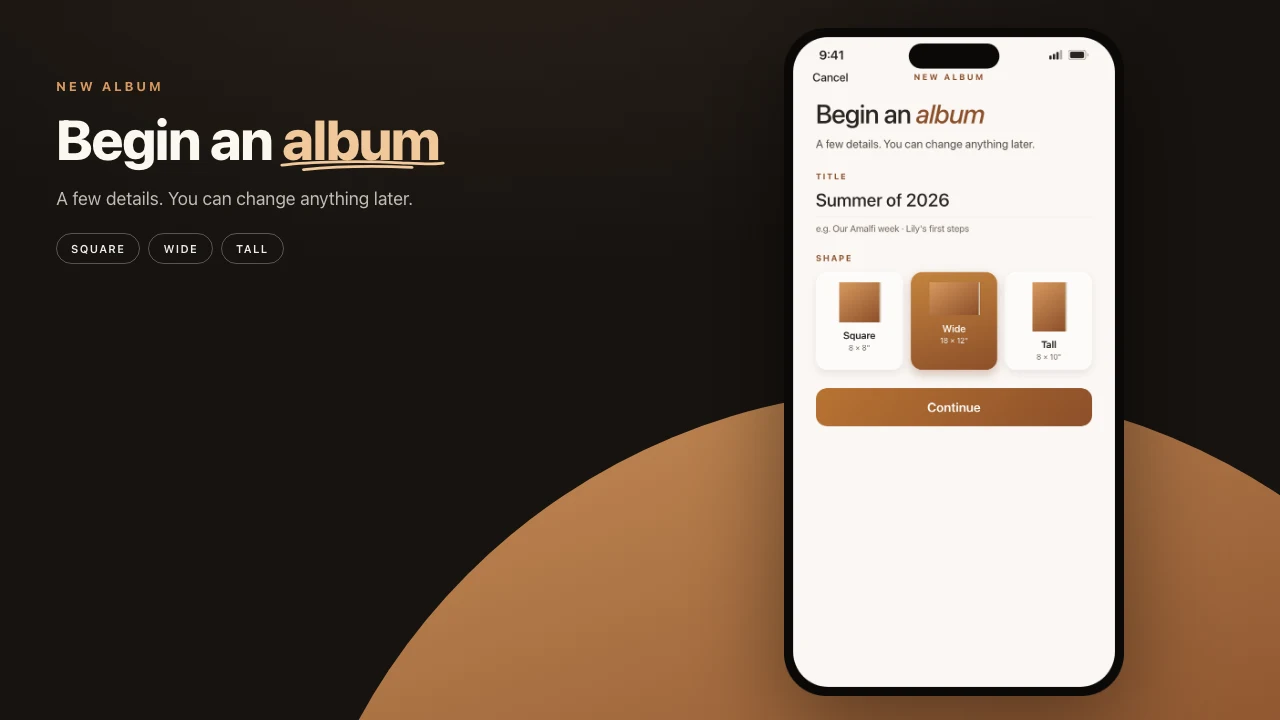
Open Pressbook and tap New Album. Name it. Pick Square, Wide, or Tall. Those labels are the physical books in the sheet. Then choose photos from the library already on the phone. You need at least three to start.
Free albums stop at 20 photos. That is enough if you already know the keepers. Pro raises the cap to 1,000.
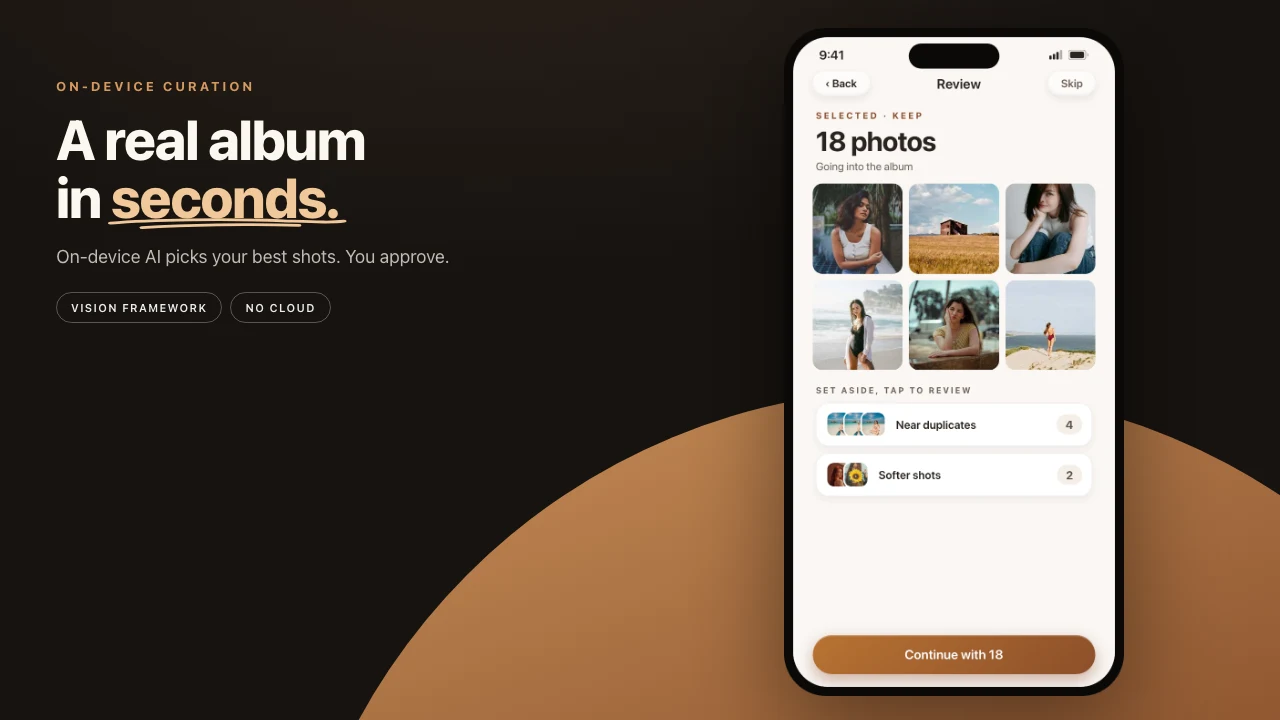
Most first albums land between 60 and 100 photos. That range gives the on-device curator enough material to be selective without padding pages with near-duplicates. The pass looks at composition, sharpness, exposure, face quality, scene variety, and how the frames sit on a timeline. It proposes a strong subset. You still decide.
You do not need to pre-filter the library. Screenshots, scanned receipts, and similar utility frames are flagged and skipped before scoring starts. A messy roll will not fill the book with junk.
The curator is not always you. Face quality is part of the score, so a mid-blink or a mid-laugh can get marked softer than you would mark it. If a group photo matters with half-closed eyes, tap it back into Selected. It stays there. The ranking changes how prominently a frame is placed. It does not decide whether the photo is allowed to exist.
Intentional blur works the same way. Motion, or a thin plane of focus, can score lower than a technically sharp frame. Add those shots back when the blur is the point. The curator is conservative. Your taste overrides it.
Tap Continue. The curator runs on the device. Review Selected, Near duplicates, Softer shots, and Less distinct, then set fullness before any spread appears.
2. Fullness, then pages
After review you get one control: how full the pages feel. The slider changes page count, not which photos stay in. Airy means more pages. Packed means fewer. Pages, never photos.
Under the slider, Set aside lists what the album will leave off the pages, and why: nearly identical shots where it kept the sharper one, closed eyes where it kept the one with eyes open, blurry or dark frames. Any of them can go back in from the album.
The engine lays out the book from the set you kept. It opens on a cover: one photo mounted on paper, with the title, dates, and places beneath it, the places named on the device. Four photos get layouts for four, never a nine-slot grid with holes. Try Another take, or swap any photo. Explore holds 520 collage and carousel layouts.
Every rebuild is a take you can flip back to. There is no personality or tone picker.
3. Filters and overlays
The editor has two scopes. Get the scope right and the rest is small.
Tap a single photo and you are in the per-photo editor. Filter lives here: 56 looks, each with an Intensity slider, so nothing has to sit at full strength. Overlay lives here too: light leaks, grain, print frames, and scrapbook pieces, one overlay at a time on that photo. Crop and reframe one image without touching the rest of the book. Subject cuts out, lifts, or traces the person in it.
Tap the page around the photos and you get the page tools: text, stickers, layout, layers, drawing, and the background.
Text layers sit on the canvas. So does drawing with Apple Pencil. Dates, a short caption, a quick line. Snap guides appear when you move things, so edges meet without a manual grid.
Filters and overlays stack. A film look plus Matte Paper on the same photo is a layered analog read. Start quiet. Low intensity, a light overlay. Heavy on both looks over-processed fast.
Many first albums do not need this pass. If a page already reads, leave it.
4. Memory Capsule, if you want one
A Memory Capsule is a finished album with an unlock date for the people you invite. Guests wait. You can still open the book, edit it, and send an update. The seal is for them, not a lock on you.
Set the date when you create the capsule. Pair it with a private invite if the gift is a named list, not a forwardable link. How to seal an album.
Three first-album uses that hold:
- A wedding year, locked for guests until the anniversary.
- A baby's first year and a half, opened when they can sit with you.
- The best of the year, unlocked on January 1.
The project file stays on the device. If you replace the phone before the date, take the .pressbook file with you. Export the project and put it on the new device, or in a backup you actually control. If you do not, the file stays on the old phone.
The first time guests open the album after the date, they get a one-time reveal. It does not repeat.
5. Export
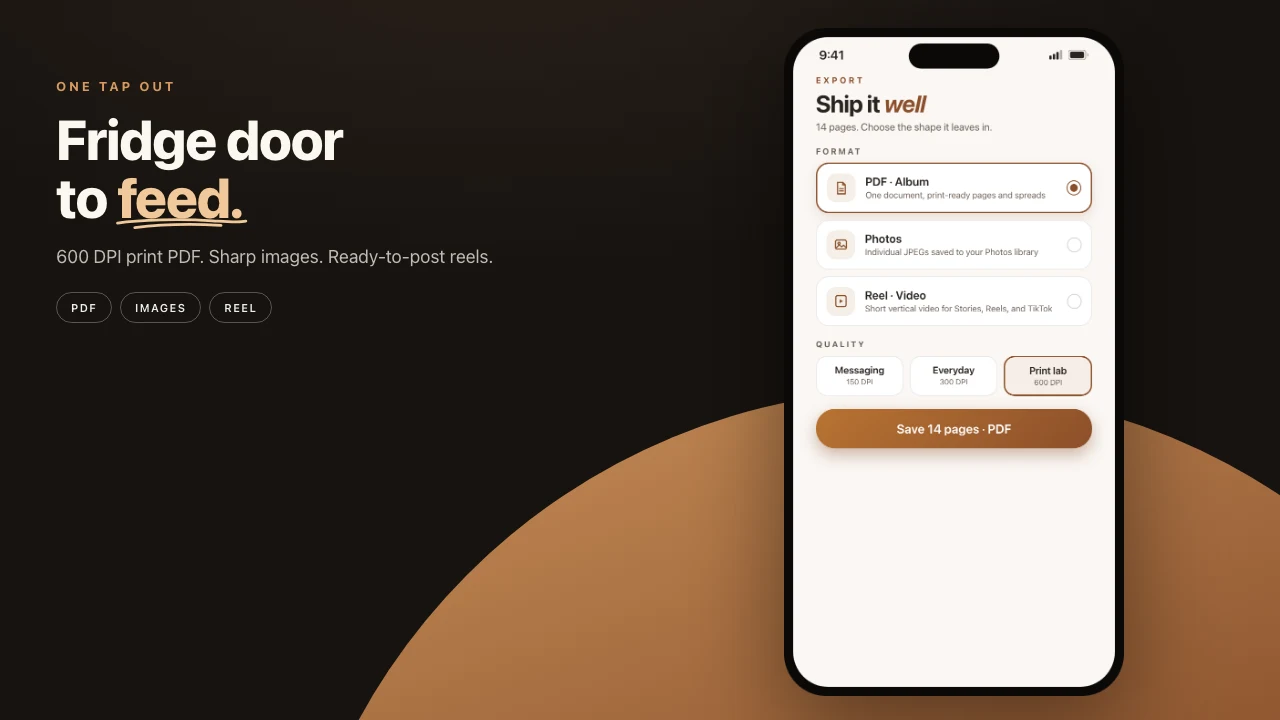
Quality lives on the Share sheet.
| Use | Resolution |
|---|---|
| A message thread | 150 DPI |
| Everyday pages and most labs | 300 DPI · Pro |
| A master to keep | Archive, up to 6000 px · Pro |
Free export is screen resolution with a small watermark. That is fine for checking the story. Send to a lab on Pro.
Pick the page size when you start the album. Square 12×12 is the size most consumer labs already know. Landscape 18×12 is groups, coastlines, magazine spreads. Portrait 12×18 is people, buildings, anything tall. The PDF is that geometry. Faces are not cropped to make a grid work.
Share on an album offers PDF, Photos, Share memory, and Project. Share > Reel plays an album like a book, cover to back cover. Export single spreads as images when you want one page in a thread. Hand off the editable .pressbook project when someone else should keep working on their own device. AirDrop the PDF to a nearby Mac. All of those paths run offline.
How to export a print-ready photo book PDF.
Try it in five minutes
- Open Pressbook and start a New Album. Name it. Pick Square, Wide, or Tall.
- Select 12 to 20 keepers on Free, or 60 to 100 on Pro, from a trip, a wedding week, or a year of family frames.
- Review Selected, Near duplicates, Softer shots, and Less distinct. Restore anything the phone was too harsh on.
- Set fullness until the book feels right. Edit a page only if it needs it.
- Export a PDF, or seal a Memory Capsule and send a private invite.
The slow step is choosing the photos, and you only do that once. Moving fullness on the same selection takes seconds. Reordering a page or swapping a hero is a tap.
How to make a photo book on iPhone.
Start on iPhone or iPad. Make a photo book in Pressbook. Free, no account, nothing uploaded.