Pressbook
All postsNote
Fullness rebuilds the book denser or airier. Photos stay. Pages move. The graph is the live plan, not a picture of a plan.
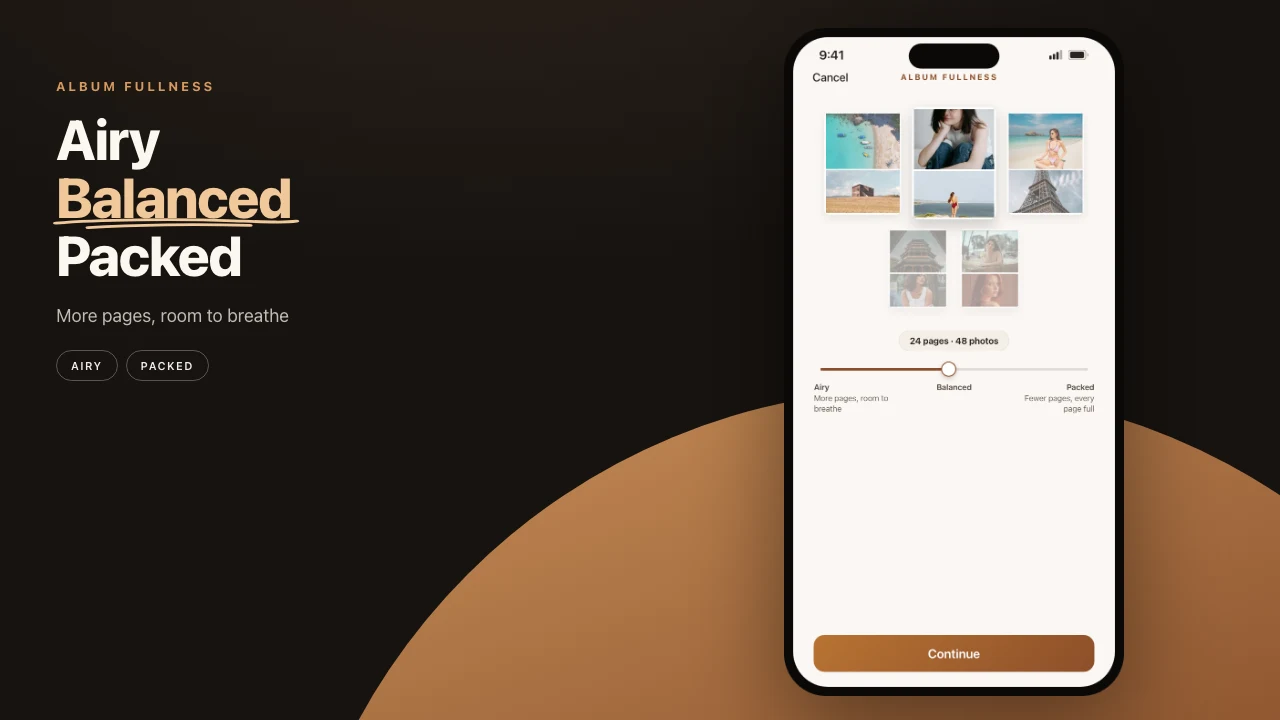
Every album tool has to answer one question: how much should go on a page? Most answer with a preset. Three vague words you pick before seeing anything. Pressbook answers with an instrument.

One rule, never broken
The slider runs from airy to packed. Drag it and the album re-plans live: more pages with room to breathe, or fewer pages, every page full.
The slider changes pages, never photos.
Whatever you set, every photo you chose stays in the album. Density is a layout decision. A layout decision should never quietly cost you a picture of your kid.
Photos do get set aside during a build. Near-duplicates and frames below the quality floor. That is a separate judgment with a separate home: a drawer, grouped by reason, one tap to restore. The slider cannot reach it. Two different decisions. Two different controls. Neither one deletes anything.
Free albums stop at 20 photos. Pro raises the cap to 1,000. Fullness does not change those numbers. It only changes how many pages the same set occupies.
The graph is the contract
Above the slider sits a small bar graph: how many pages of each size the plan will produce, one bar per photos-per-page count, with the peak marked. Under it, a readout in plain words. About 34 pages, 96 photos.
This is not a preview illustration. It is the actual plan the engine will execute, recomputed as you drag.
Drawing that graph forced a harder question: what do you show while the engine is still computing? The answer that shipped is nothing dressed up as something. While the numbers are being counted, the bars go hollow and breathe, the readout says counting pages, and the slider waits. No skeleton pretending to be data. No spinner pretending to be progress. When the bars fill in, they are true.
Takes are the undo you can hold
The slider pairs with takes. Rebuild the album at a new fullness and the old version is not gone. It is take one, and you can flip back to it whole. Changing your mind stops being destructive, which changes how willing you are to explore. Photographers shoot contact sheets for the same reason. Comparison beats commitment.
Page count is the output
The slider, the graph, the readout, and takes together make density something you adjust with your eyes open. The whole computation runs on the device, so the feedback loop is immediate. There is no round trip hiding behind a progress bar.
Blank-grid apps make you delete pictures to fill holes. Pressbook builds layouts for the count you chose, then lets fullness move the spine. Decide how the page should feel. The page count follows.
The rebuilt engine that makes this possible (chapters, burst stacks, balanced people) is how Pressbook reads a camera roll. The starting cut, before you touch the slider, is how many photos belong in a printed book. The rest of the sequence is how to make a photo book on iPhone.
Try the slider on your own roll. Free, no account, nothing uploaded. iPhone and iPad, iOS 18 and up.