Pressbook
All postsNote
Rank iPhone photo book apps by where the roll goes while you design. No upload, no account, a file you keep. Then who ships the box.

“Private photo book app” means different things. No public link. No social feed. No ads. Or no upload at all while you design. Those are not the same product.
The order below is design privacy first, then whether you get a real multi-page album, not a folder of photos. Named print brands sit in Pressbook vs Mixbook, Chatbooks, and Artifact Uprising. The Chatbooks-only path is a Chatbooks alternative that does not upload.
What private has to mean
- Do photos leave the device to curate and lay out the book?
- Is an account required to save or finish?
- When you share, is it a finished object for chosen people, or a durable public-ish link?
- Can you finish in airplane mode?
Yes on all four is rare. That is the shortlist.
| Step | What | Detail |
|---|---|---|
| Photos stay put | Select from the Photos library | Full-resolution originals. Nothing uploaded to Pressbook to curate or lay out. |
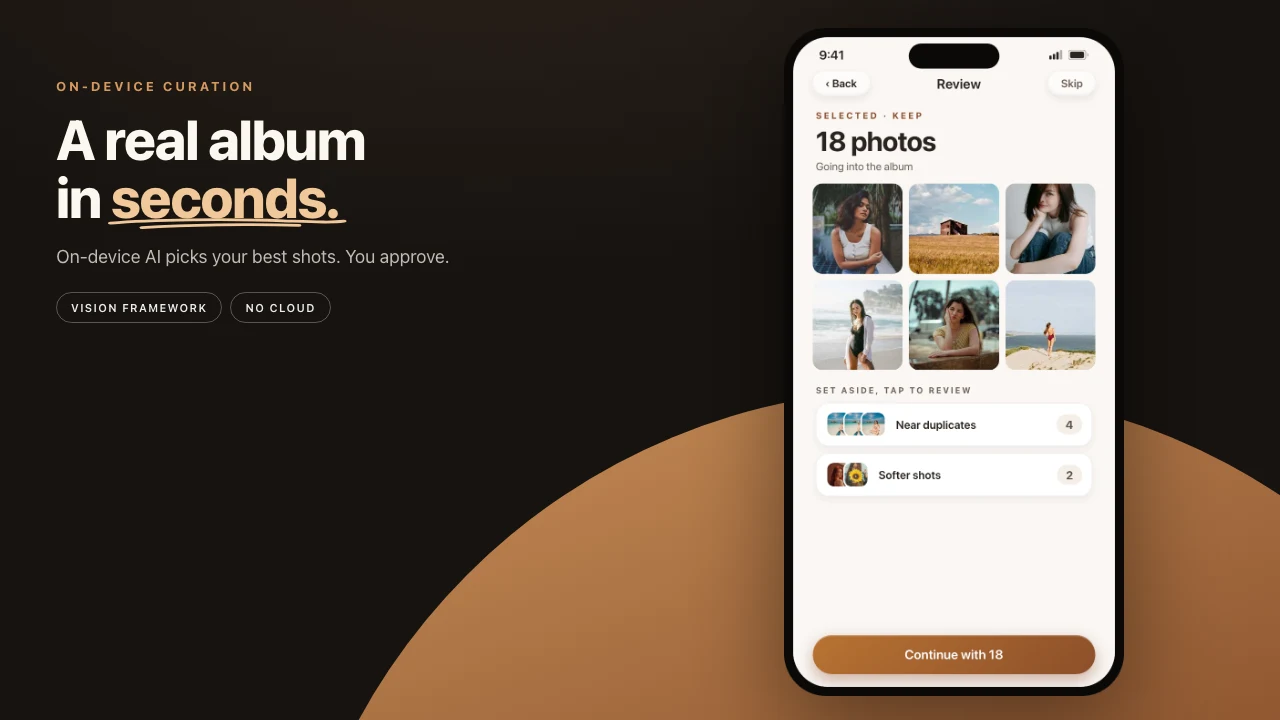
| Vision on device | Faces, quality, scenes, chapters | Neural Engine. Airplane mode works. |
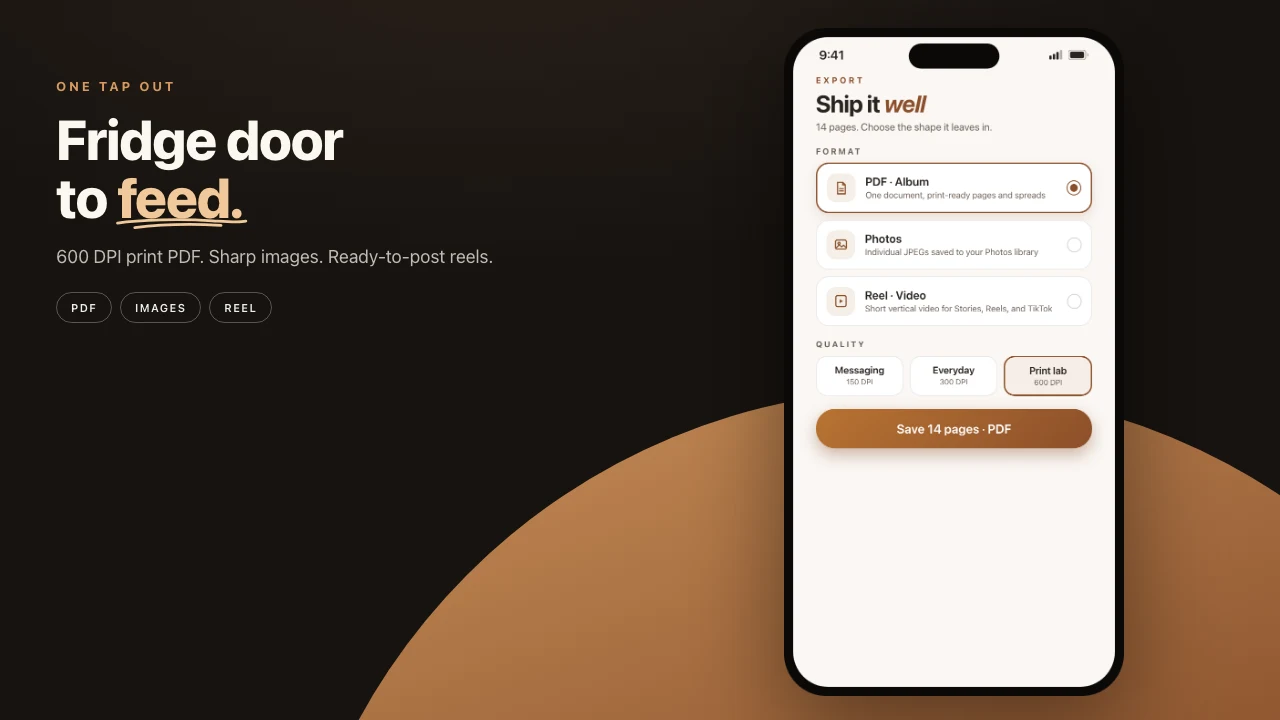
| You hold the output | PDF, private share, or capsule | A print-ready PDF for any lab, iCloud invite, or AirDrop project file. |
Ranked by design privacy
1. Pressbook. No upload to Pressbook for design. Magazine albums, print-ready PDF, private iCloud share, Memory Capsule. You pick the lab or stay digital.
2. DIY (Pages / Keynote). Most private if you never upload. Most people abandon the manual layout.
3. Apple Photos. Private enough for shared originals. Not a designed photo book. Apple discontinued books years ago.
4. Mixbook / Chatbooks / Artifact Uprising / Shutterfly. They ship hardcovers. Design path is upload, account, their servers.
5. Google Photos books. Fast if the library already lives in Google. Limited craft.
6. FreePrints and freemium printers. Budget paper. Still an upload pipeline.
7. Collage apps (SCRL, Canva, PicCollage). Feed posts. Wrong object if you wanted a multi-page book. See carousel makers.
On-device versus a typical upload app
| Capability | Pressbook | Everyone else, typical |
|---|---|---|
| On-device AI curation | Yes | Upload, manual, or Memories |
| Magazine multi-page | Yes | Their templates or DIY |
| Print-quality file you own | Yes, Pro | Their print file, or DIY |
| No third-party account to design | Yes | Account, except DIY |
| Airplane-mode finish | Yes | Rare |
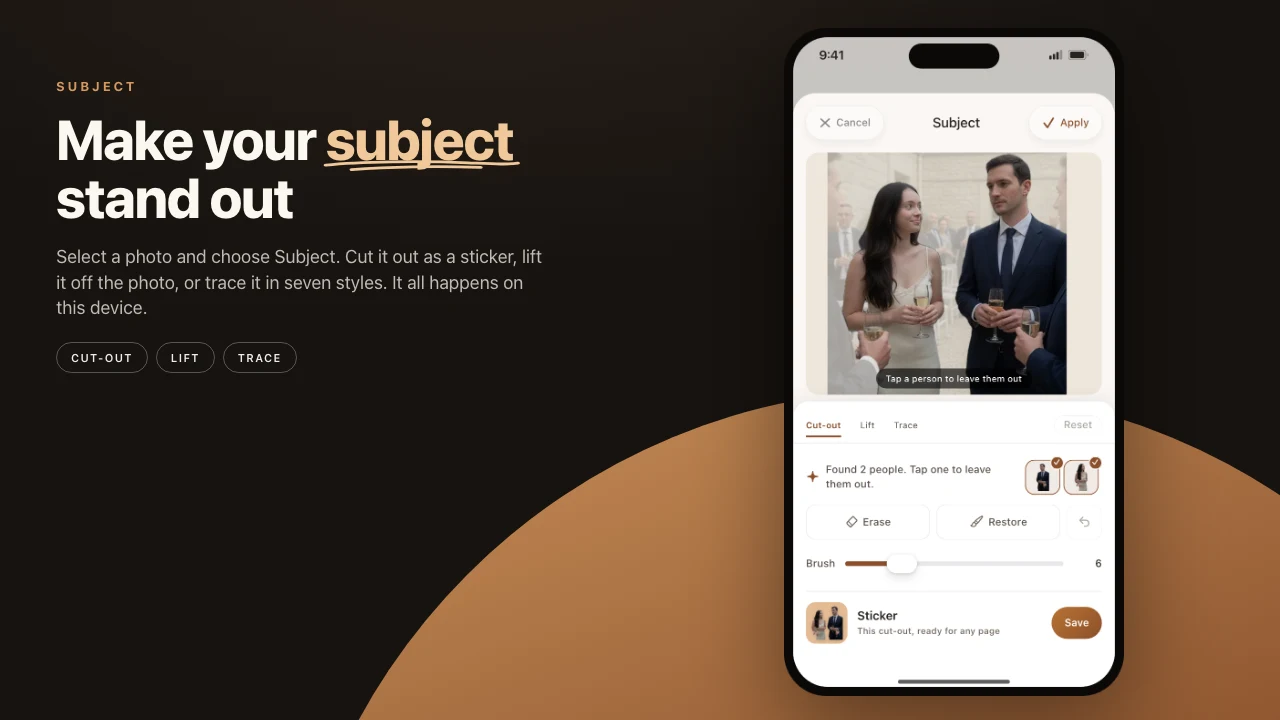
| Stickers and cutouts | All free, plus lift subject | Template packs |
| Curved text | Free | Rare offline |
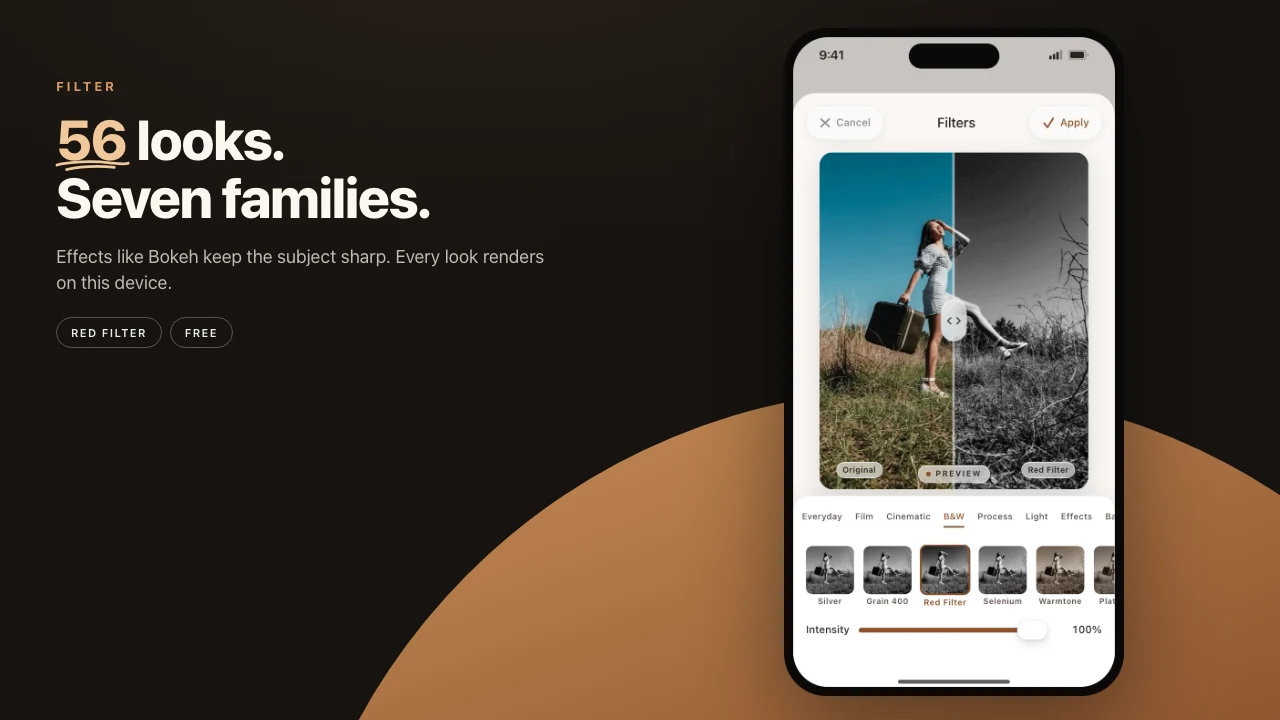
| Filters and overlays | 56 looks free, plus layers | Brand presets after upload |
| Video short formats | Free compose, Pro HQ export | Separate creator apps |
| Private page reactions | iCloud, free | Product-specific |
| Memory Capsule | Free | Rare |
| Shipped hardcover in one cart | No | Print brands yes |
Pressbook
For trips, weddings, baby years, a year in review without uploading the roll to design.
Vision runs on the device. No Pressbook account. Optional iCloud share. Analytics opt-in and off by default. The offline path is make a photo book in airplane mode.
Craft: chapters, a fullness slider, 12×12 / 18×12 / 12×18, PDF at Screen, Everyday, or Archive quality, a page-curl reader, a capsule, private share, plus collages and carousels with video.
Limits: it does not ship hardcovers. Free stops at 20 photos, a watermark, and screen-res export. Stickers and templates stay free. Pro raises the cap to 1,000 photos, unlocks print-quality export (300 DPI and up) and high-quality video, and drops the watermark. $4.99 a month, $29.99 a year, or $79.99 once.

The editor stays full
A private path is only useful if the craft is still real. Pressbook’s canvas is the same stack used for social formats. Privacy is not a stripped-down mode.
| Editor | Detail | Deep dive |
|---|---|---|
| Stickers | All free, cut subjects, iOS stickers | Sticker cutout |
| Text | Fonts, curved paths, type filled with a photo | Curved text |
| Filters | 56 looks free; light leaks, grain, print frames | Filters and overlays |
| Video | Free on collage and carousel; Pro for HQ export | Video in short formats |
| Smart guides | Align as you drag, including carousel seams | Smart guides |
| Quotes | On-device when Foundation Models are available | On-device quotes |
| Share | Private iCloud invite, reactions, capsule | Private share |
The rest of the field
DIY in Pages or Keynote is the only path with zero product telemetry if you stay offline. You also get no Vision curation, and the layout is all yours.
Apple Photos is the familiar way to share originals. It is not a magazine book.
Mixbook has the deepest design tools among the print stores, plus a shipped hardcover. The design path is upload.
Chatbooks is hands-off series paper. You trade story control and offline design for the reorder habit.
Artifact Uprising is the heirloom object. Still an upload.
Google Photos books are fast if the library already lives in Google. Craft is limited if the photos are only on the iPhone.
FreePrints is budget paper on an upload pipeline. Privacy architecture is not the product.
Print brands ship the box. Pressbook keeps the roll on the phone while you design.
| Cloud print apps | Pressbook | |
|---|---|---|
| Design path | Upload to design | No upload. Vision on the device |
| Account | Required | Not required |
| Ship their hardcover | Any-lab PDF, 300 DPI and up | |
| Offline | Rare | The whole path |
| Digital gift | Secondary | iCloud plus capsule |
| Best when | Paper next week from one brand | The roll never becomes someone else’s input |
How to choose
- No upload, magazine pages → Pressbook
- Best design plus ship → Mixbook
- Hands-off series paper → Chatbooks
- Heirloom physical gift → Artifact Uprising
- Already on Google → Google Photos books
- Shared originals only → Apple Shared Album
- Instagram swipe, not a book → carousel guide
Privacy test
- Airplane mode on.
- Build a complete album and export a file.
- Read the privacy label: upload? account? analytics default on?
- Share to one person: new account? can you revoke?
Pressbook is built to pass 1 and 2. Share stays invite-only over iCloud when you use it.
A working order for a private roll
| Goal | Pick |
|---|---|
| Private design plus full craft | Pressbook |
| One-click print shipping | Mixbook, Chatbooks, Artifact, Shutterfly, Google |
| Shared originals only | Apple Photos |
Make a photo book in Pressbook. Free, no account, nothing uploaded.
Related: print brand comparison · on-device vs cloud · filters.